Changelog

What each Morke release changed on iPhone and Mac, newest first.

  1. iOS 27.0.0

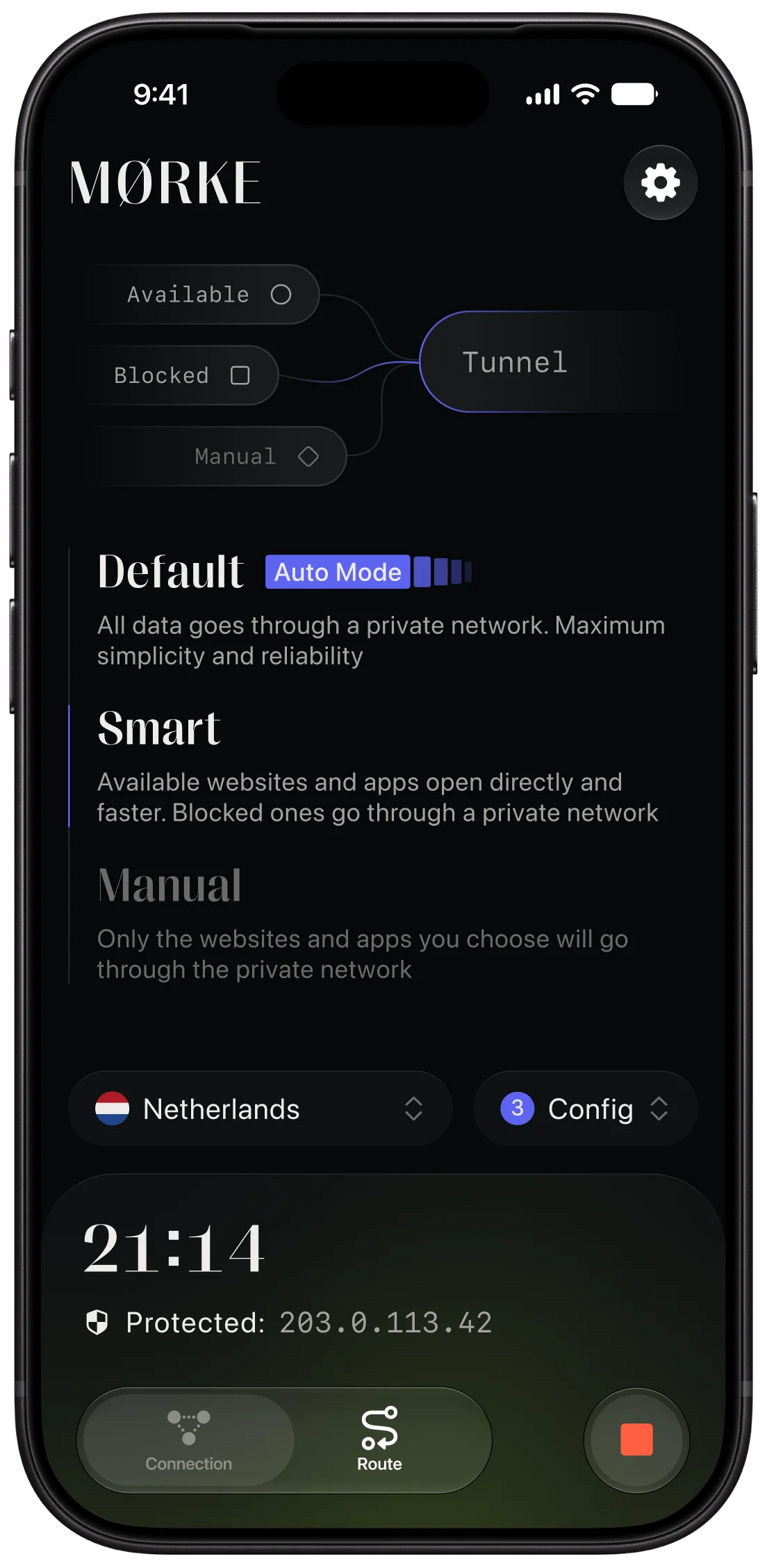
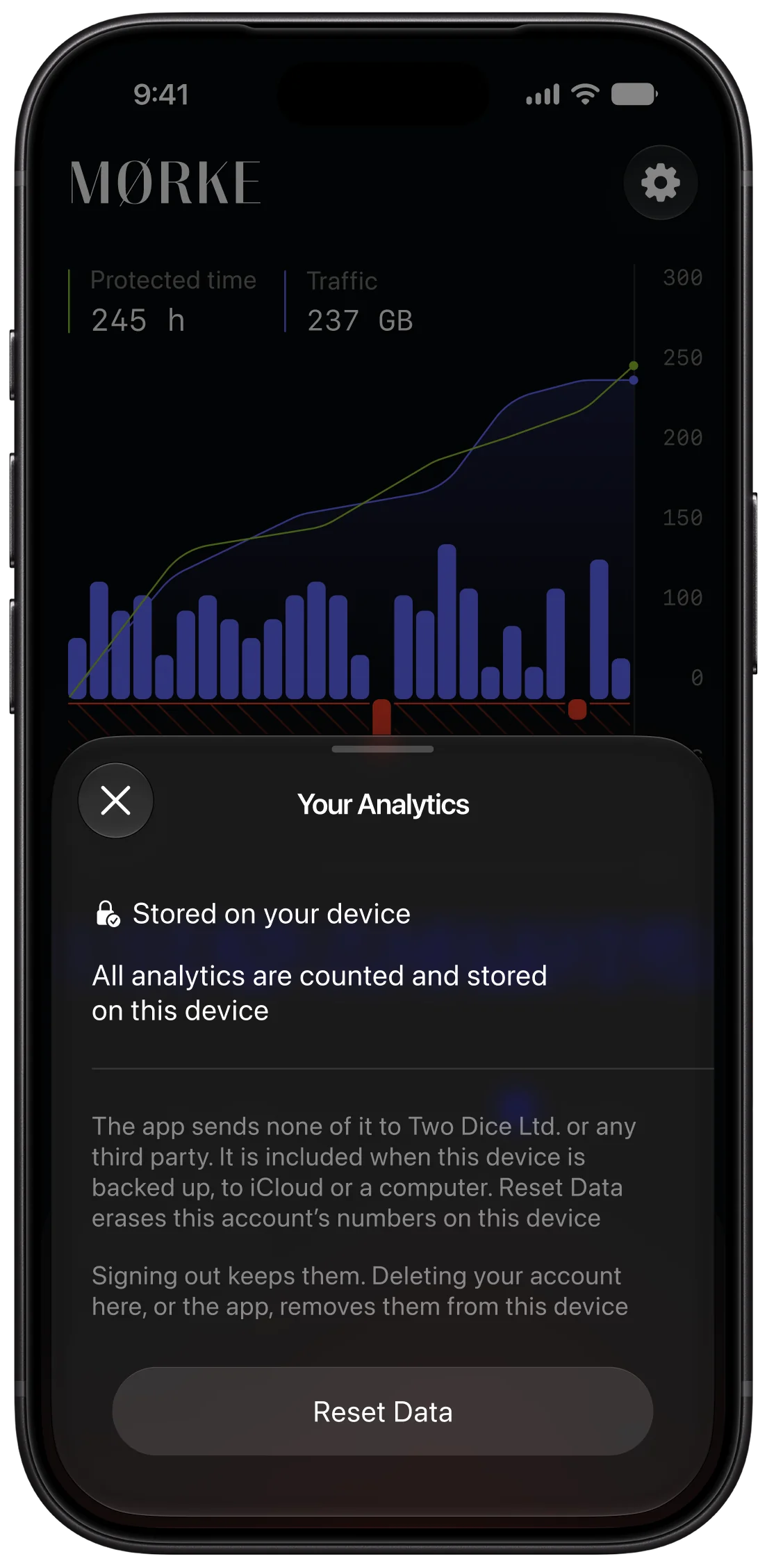
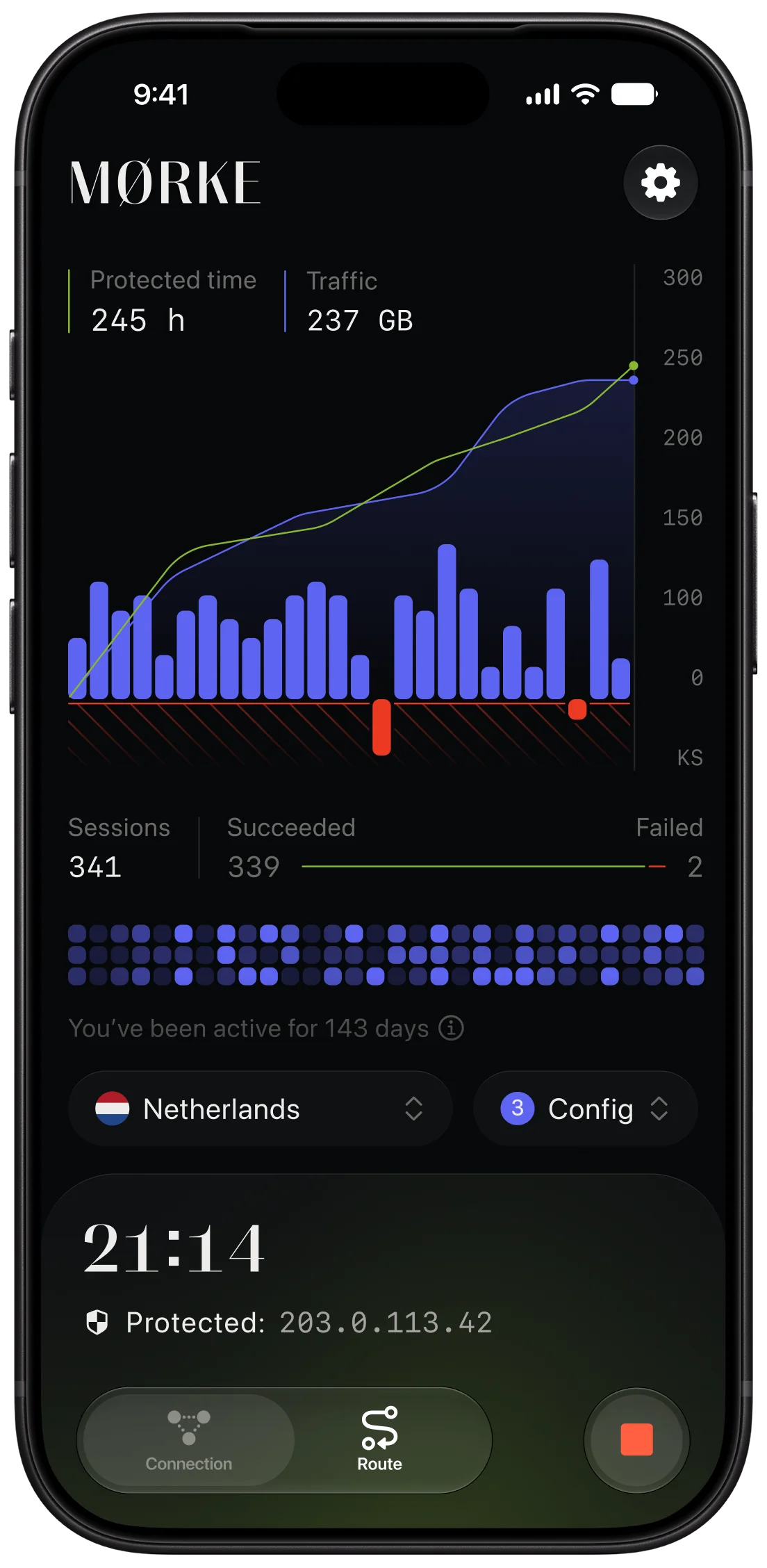
    Morke 27.0.0 on iPhone: the Route tab, the Your Analytics sheet and the main screen

    A whole new look

    A redesigned app in 16 languages, Smart routing, your analytics kept on your phone and never sent to us, and an account key you can change.

    The app

    • A whole new look, in 16 languagesMorke has a whole new look, and every word of the app now comes in 16 languages: English, Arabic, Chinese (Traditional), Dutch, French, German, Italian, Japanese, Korean, Polish, Portuguese (Brazil), Russian, Spanish, Swedish, Turkish and Ukrainian.
    • Your Analytics, kept on your phoneThe main screen shows your analytics. They are counted on your iPhone and never sent to us.

    The connection

    • Smart routingOn iPhone, turn on Smart on the Route tab, and sites and apps on its list of domestic services open directly, outside the tunnel, while everything else stays inside it. Default still sends all your internet traffic through the tunnel.
    • DNS Filter, from the main screenThe four presets now sit on the main screen under Network Configuration: Default, known ad and tracker domains, known malware domains, or adult sites. A change made while connected applies at once, with a quick reconnect.
    • Kill Switch covers your local network tooWith Kill Switch on, traffic to your local network goes into the tunnel as well, so nothing on the same Wi-Fi can lure it outside. With it off, printers and AirPlay are reached directly, as before.

    Your account

    • Change your account keyIn Account & Security you can swap your key for a new one, confirmed with a slide. The change finishes even if the app closes or goes offline halfway, and a key can be changed once every 12 hours.
    • Your key in PasswordsOn iPhone, when you create an account or sign in with your key, Morke offers to save the key in the Passwords app, so it can be filled in when you sign in. It updates the saved key after you change it, and removes it when you delete the account.
    • Pinned connections to our serversEvery request the app makes to Morke's servers, for your account and for the Smart routing list, checks their certificate chain against the authorities it expects them to come from, so a certificate installed on your phone cannot read or change what it sends us.

    Legal documents

    • Privacy Policy, 25 November 2026It now covers the Morke app for Mac as well as the iPhone app. It says what a key change keeps and for how long: a hash of the new and the old key and when the change was asked for and confirmed, dropped after 24 hours if you never confirm, otherwise kept until that device changes the key again or its session ends. It explains that we see which app version you run so that every version keeps working and our apps can be told apart from other software, that the Mac app checks morke.co for an update at most once an hour and sends only its own version and its updater's, and that deleting your account on this site asks you to type your key, which is kept nowhere. It calls the key the account key, as the app does. Its lines on backups say what every copy made now holds and how long it is kept. It says what no analytics means: the app collects nothing about how you use it, for us or for anyone else, and what it calls Your Analytics is yours, counted and stored on your device and sent to no one. Read the Privacy Policy
    • Terms of Use, 25 November 2026They are now also the licence for the Morke app for Mac, which comes from this website rather than the App Store: what you may do with it, how it updates itself from morke.co, and that Apple's notarization is not a review or an approval of it. If your key has been exposed, you can now change it in the app under Settings, Account & Security, Change account key. The old key keeps working until you confirm the new one; then every other device is signed out, and the key can be changed once every 12 hours. They call the key the account key, as the app does. They are now called the Terms of Use, as in the app, at the same address. Read the Terms of Use
    • Acceptable Use Policy, 25 November 2026It calls the key the account key, as the app does. It says that the nightly backups leave out which accounts had traffic on a node and each device's traffic figures, and it links the Terms of Use by that name. Read the Acceptable Use Policy
  2. Mac 27.0.0

    First Mac release

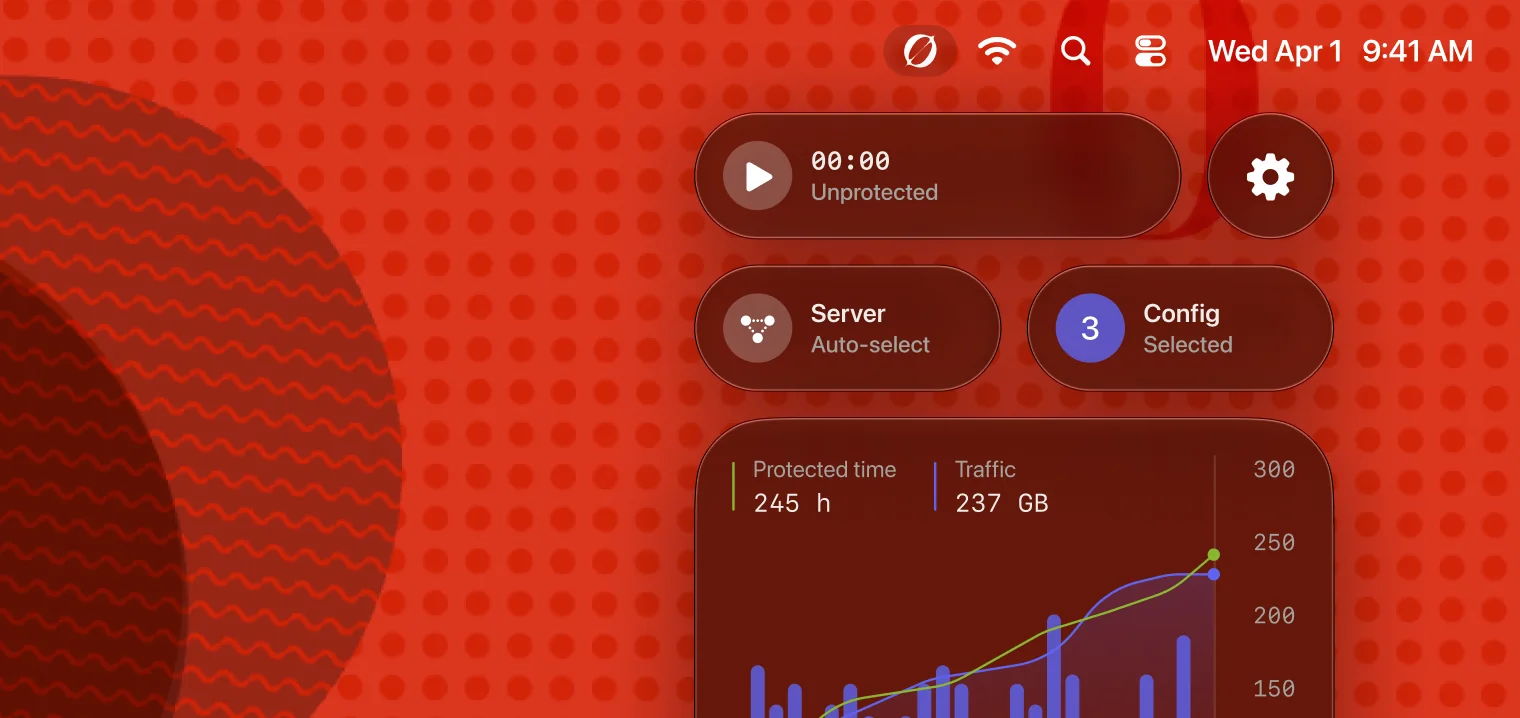
    Morke for Mac: the main window

    Morke for Mac

    The same account and the same servers, one click away in your menu bar.

    In the menu bar

    • One click to connectMorke lives in the menu bar. Click its icon and a panel of dark-glass tiles opens, drawn like Control Center: one click connects, and a timer beside the icon shows how long you have been protected. Return connects, Escape closes the panel.
    • Pick your serverChoose a country from the Server menu, or leave it on Auto-select. The panel stays open while it switches.
    • Kill Switch, Auto-connect and DNS FilterAll three open right in the panel under Config. Auto-connect can bring the tunnel up when Morke launches or when your Mac joins an untrusted Wi-Fi network, and DNS Filter has the same four presets as on iPhone.

    Your account

    • The key you already haveSign in with the same account key you use on your iPhone. Account & Security, where the key and the Account ID can be copied, opens only after Touch ID or your Mac's password.
    • SubscriptionSettings shows your plan and whether it is active, with a link to morke.co.

    On your Mac

    • Installs itselfOpen the disk image and Morke moves itself into Applications. The first time, one screen walks you through allowing its system extension and VPN configuration. It needs macOS 14 or later.
    • Settings in a real windowGeneral, Account & Security, Subscription, Diagnostics and Legal & Licenses each have a pane in an ordinary Mac window.
    • Help when something is offDiagnostics checks each stage of the connection and copies the result, ready to paste into a report. Report an issue opens a mail to us, and the Telegram channel is one click away.
    • Updates through the appWhen a new version is out, Morke offers it and installs it itself. Every build is signed by Two Dice Ltd. and notarized by Apple.
  3. iOS 26.0.0

    First release¹

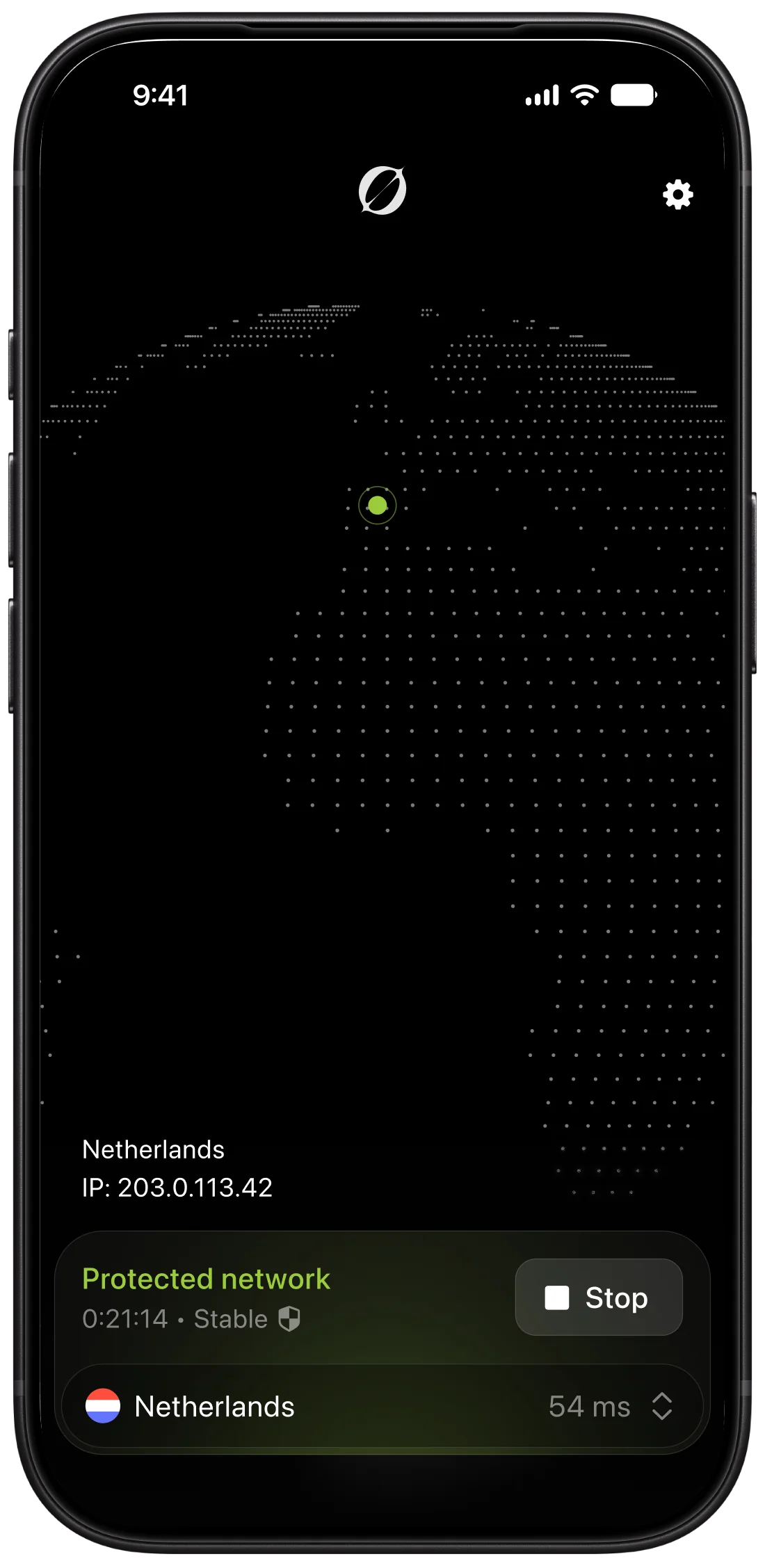
    Morke 26.0.0 on iPhone: the main screen, a dotted globe and Protected network

    The first Morke on the App Store

    A VPN for iPhone where the account is a key we give you, not an email address you hand over.

    Your account

    • An account with nothing about you on itThere is no email, phone number or name to enter. You get an account key, and the key is the account, so nothing personal is collected to create it.
    • Look around before you subscribeSkip signing in and explore the app first. A subscription is needed only to connect.
    • Your key, behind Face IDFace ID or Touch ID guards the screen that holds your key and your active sessions, so a phone left unlocked on a table does not hand the account over with it.
    • No ads, and no tracking codeThere are no ads in Morke, and no advertising or analytics SDKs are built into it.

    The connection

    • Every app, not just the browserMorke uses Apple's built-in VPN system, so your traffic goes through an encrypted tunnel to the server you choose, from every app on the phone.
    • Pick your exit, and see how fast it answersChoose a server from the list or stay on the one Morke selects. Each server shows its own response time, so you can see which is quickest from where you are before you connect.
    • Kill SwitchTurn it on, and if the tunnel drops, traffic stops instead of falling back to your ordinary connection.
    • Connects by itselfAuto-connect brings the tunnel up when your iPhone joins a network, so the café Wi-Fi is covered before you think about it.
    • DNS Filter, in four presetsStandard, ads and trackers, malware, or a family filter. Choose one in Settings and it applies from the next connect.
    • IPv4 and IPv6Both are carried where the server supports them. Where it does not, IPv6 is blocked rather than leaked around the tunnel.

    On your iPhone

    • Widget, Control Center and ShortcutsA Home Screen widget shows whether you are protected and for how long. On iOS 26 the widget and a Control Center control switch Morke on and off, and on any version the Shortcuts app can too.
    • Made for every way you use your phoneWorks with VoiceOver, Voice Control, Larger Text, Increase Contrast and Reduce Motion, and haptics can be turned off in Settings.

    Legal documents

    • Privacy Policy, 5 November 2026The purchase log is described in full: it also keeps the identifier and type of each notice Apple sends us about a purchase, with our result, and the identifier of an App Attest key whose counter goes backwards. Each nightly copy on our server is deleted 14 to 15 days after it was made. Read the Privacy Policy
    • Acceptable Use Policy, 5 November 2026Two rules added: do not share or download material in breach of copyright or someone else's rights in it, and do not harass, threaten or defraud anyone. Read the Acceptable Use Policy